


Web Scan & Dual Chat App
4.537.00 Reviews
App Specs
- Version
- 1.9
- Updated On
- License
- Free
- Downloads
- 10,000+
- Developer
- Vasundhara Infotech LLC
- Categories
- Communication
- Platform
- Android
Screenshots

 Analysis by AppCompare
When several people rely on the same phone for messaging, switching between accounts can become surprisingly awkward. That is the situation where Web Scan & Dual Chat App caught my attention. It is a free communication app from Vasundhara Infotech LLC, built around managing multiple accounts and chats on one device rather than forcing every conversation into a single session.
I found the idea especially relevant for shared household use. A parent may need to check a work account, a partner may occasionally use the same handset, or one device may serve as a practical backup for several people. Instead of treating the phone as belonging to only one chat identity, the app makes account separation the central task. That does not turn a shared device into a fully managed family system, but it can make everyday switching less confusing.
The app has an average rating of 4.5 from around 4.6 thousand ratings, and it has passed over 10 thousand installs. Those figures suggest that the basic concept is easy for many users to understand. It is rated for Everyone, which fits its communication purpose, although an age rating should not be mistaken for a complete privacy or supervision solution.
How it fits a shared phone at home
When I think about using a shared phone at home, the key question is not just how many accounts it can hold, but whether everyone can tell whose conversations they are handling. I’d agree on a simple handover routine before adding accounts, then consider how notifications and personal boundaries should work. That makes the first setup more deliberate and helps the household avoid confusing convenience with shared access.
A practical scenario for multiple chat identities
Imagine a household with one older phone kept in the kitchen or living room. During the day, one person uses it to answer personal messages. Later, another person needs to open a separate chat account to coordinate a delivery, respond to a community group, or catch up on conversations. With a conventional single-account arrangement, the handover can mean logging out, reopening a browser, or accidentally reading the wrong conversation.
This is where I see the strongest everyday value. The app gives the device a more flexible communication role, allowing different account sessions to be handled from one place. The benefit is not simply speed. It is the reduced chance of sending a reply from the wrong identity, especially when the same phone is passed between people several times during the day.
That said, I would not treat the app as a substitute for separate user profiles on the phone. Account separation inside a communication tool is narrower than full device separation. Notifications, recent apps, saved sessions, and the general behavior of the operating system still matter. Anyone sharing a handset should agree on basic boundaries before relying on the app.
Worth Reading Before You Choose

EA SPORTS FC Mobile 26 Is a Bigger Football Game, but It Takes Time

Flipboard Shows What News Apps Must Do Beyond the Feed

Switching to Android Auto Means Rethinking Your Driving Routine

Google Calendar Makes a Crowded Week Easier to Manage

Ludo King Makes the Most of the Minutes Between Plans

Baby Panda World Brings Quick Play to Modern Phones, but Its Game Library Feels Busy
For a household, I would begin with a simple rule: each person should know which account is active before composing a message. A different profile image, account label, or recognizable chat list can help, but the final check should still be made by the person sending the message. This small habit is more valuable than assuming the interface will prevent every mistake.
What the free entry point means in practice
The app is free to install, which makes it easy to test on a spare or shared device without committing money first. I like that approach for this type of utility because the real question is not whether the idea sounds useful; it is whether the switching workflow feels comfortable on your particular phone and with your particular chat habits.
There are in-app purchases ranging from $5.99 to $69.99 per item. That creates an important decision point. I would use the free experience to confirm that account handling is clear and reliable before considering any paid option. A household that only needs occasional switching may have no reason to spend, while a heavier user should first understand exactly what an upgrade changes and whether those changes solve a genuine problem.
The app runs on Android 7.0 and newer devices. That is helpful for people keeping an older handset in service, particularly as a shared home phone. Still, compatibility alone does not guarantee a smooth experience. Older hardware may handle account-heavy communication less comfortably, so I would test opening, switching, and returning to chats before making the device a central household tool.
Setting boundaries before adding accounts
Setup is not only a technical step here; it is also a household agreement. I recommend deciding whose accounts belong on the device, who may switch them, and whether notifications should be visible to everyone nearby. These questions are easy to ignore when the phone is being used casually, but they become important as soon as private conversations appear on a shared screen.
I would also avoid adding every account simply because the app can manage multiple chats. A smaller set is easier to recognize and less likely to create a crowded interface. Keep the shared phone focused on the accounts that genuinely need access there. Personal accounts with sensitive conversations may be better left on a private handset, especially when other household members or visitors can pick up the device.
One useful workflow is to treat the shared device as a coordination station rather than a complete replacement for everyone’s phone. For example, a household can keep one account available for practical messages and another for a jointly managed activity, while leaving deeply personal conversations elsewhere. This reduces the chance that convenience slowly turns into accidental exposure.
I would not promise that the app itself establishes these boundaries. Its purpose is to help manage accounts and chats, not to decide who in a home should see them. The responsibility for permissions, screen visibility, and handover remains with the people using the device.
Keeping coordination clear instead of chaotic
Multiple accounts are most useful when each one has a clear job. If one account handles school coordination, another handles household errands, and a third is personal, switching becomes easier to understand. If several accounts are used for the same purpose, the app may reduce the login hassle while still leaving you unsure which conversation deserves attention.
I found that naming the purpose of each account mentally is more effective than relying on memory alone. Before opening a chat, ask whether you are handling household logistics, work, or personal messages. That short pause helps prevent the classic shared-device error: answering a practical question from a private account or sending a personal reply into a group used by several people.
A second useful habit is to finish one account’s task before moving to another. Rapid back-and-forth switching may feel efficient, but it increases cognitive load. I prefer grouping messages by account, checking what needs a response, and then moving on. This makes the app feel like a tool for organized handoffs rather than a way to keep every conversation open at once.
For families coordinating schedules, the app can be helpful when the same phone must serve different communication roles during the day. A caregiver might check one account in the morning, another person might use it later, and the device can remain available without repeatedly rebuilding the session. The trade-off is that everyone needs to respect the agreed order and avoid assuming that an open account is automatically theirs to read.
Privacy, age, and trust in the home
The Everyone content rating makes the app approachable from an age-classification perspective, but shared communication still requires maturity and trust. An app being suitable for a broad audience does not mean every conversation inside it is suitable for every household member. Messages may contain private plans, personal information, or adult discussions even when the tool itself is general-purpose.
For younger users, I would focus less on the rating and more on transparent family rules. They should know which account they are allowed to use, whether they may switch accounts without asking, and what to do if a private message appears accidentally. Those rules are more realistic than assuming a communication utility will provide family supervision features that it was not designed to provide.
The same applies to adults sharing a phone. Trust is not improved by quietly opening another person’s chat session. If several people use the device, the safest arrangement is explicit consent and visible handover. I would encourage users to close or leave an account in an agreed state after finishing, rather than treating the shared phone as an open window into someone else’s conversations.
Notifications deserve special attention. Even without opening a chat, a message preview may reveal names or text on the lock screen or while another person is using the phone. I would review the phone’s notification behavior before placing multiple accounts on a communal device. This is one of the less obvious trade-offs: account convenience can increase the number of conversation previews appearing in public.
Where it compares with usual alternatives
The usual alternatives are straightforward. You can use one account only, log in and out of a web session, rely on separate phones, or use built-in device features when the handset supports them. Each option has a different cost. One account is simple but restrictive. Repeated login changes are tiring and invite mistakes. Separate phones provide the clearest boundaries but are not always practical.
This app sits between those choices. Its appeal is convenience on a single Android device, particularly when the problem is repeated account access rather than the need for complete privacy isolation. Compared with manually opening a browser-based chat session, a dedicated app can feel more direct for routine switching. Compared with separate user profiles, however, it should be viewed as a narrower solution focused on communication rather than the entire phone.
That distinction matters for choosing the right tool. If your main concern is keeping photos, files, contacts, and every other app completely separate, I would look first at the phone’s own user or profile options where available. If your problem is simply that two or more chat identities need to be available on one handset, this app is more closely aligned with the job.
I also would not recommend it to someone who rarely uses more than one account. For a single personal chat identity, adding another layer may create more decisions than it removes. The benefit grows with repeated switching, shared-device routines, and clearly separated communication roles.
Small habits that make the experience safer
My first tip is to create a handover routine. Before passing the phone to someone else, state which account is open and whether there are unread messages. It sounds formal, but it prevents the next person from assuming that the visible session belongs to them. This is particularly useful when the device moves between work and household use.
My second tip is to avoid composing long, sensitive messages immediately after switching. Open the intended account, confirm the conversation context, and only then write. A few seconds of checking is worthwhile when the cost of a mistaken reply could be embarrassment or disclosure.
My third tip is to keep the shared phone’s purpose narrow. If it is mainly for household coordination, do not gradually add every personal account. The more identities the app has to present, the more important labels, routines, and consent become. Convenience is strongest when the arrangement stays understandable.
Finally, I would test the app during a quiet period rather than introducing it during an urgent situation. Add the accounts that need access, practice switching, send only harmless test messages where appropriate, and confirm that everyone understands the routine. This gives the household time to discover friction before the phone becomes essential for coordination.
What I liked and where I felt friction
The strongest part of the experience is the focused idea: one device can be more useful when several chat identities need to coexist. That is a specific problem, and the app addresses it without asking a household to buy another phone immediately. The free starting point also makes experimentation reasonable.
The main weakness is that convenience can be mistaken for privacy. Managing multiple accounts does not automatically create separate personal spaces, and the app cannot replace good judgment between people sharing a handset. Notifications, accidental account selection, and unclear handovers remain practical risks.
I also think the purchase range deserves careful thought. A low-cost test is sensible, but a higher-priced in-app item should be considered only after the free workflow has proved valuable and the paid benefit is clear to you. I would not pay simply because the app supports a useful concept; I would pay only for a feature that directly removes a recurring obstacle in my own routine.
Version 1.9 is the current version, and I would keep the app updated through the normal store process when updates are available. For a communication tool, maintenance matters because account handling is something I would rather not leave unattended on a device used by several people.
My household verdict
After looking at it as a shared-device tool, I see Web Scan & Dual Chat App as a practical choice for people who repeatedly move between chat accounts on one Android phone. It is most convincing when the household has a clear reason to share a device and can agree on simple rules for account ownership, notification visibility, and handover.
I would recommend trying it if your current routine involves repeated sign-ins, awkward browser sessions, or accidental confusion between communication identities. I would skip it if you need complete separation across the whole phone, if only one account is used, or if the people sharing the device cannot agree on privacy boundaries.
My final view is positive but measured. The app solves a real communication inconvenience, and its broad age rating, free entry point, and support for Android 7.0 and newer make it approachable for many households. Its success depends less on having several accounts available and more on using them deliberately. The best result comes from combining the app’s convenience with explicit household boundaries.
Pros
- Scans QR codes quickly and recognizes common web login formats.
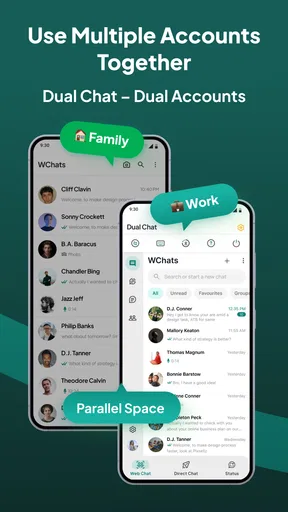
- Supports using two chat accounts on the same device.
- Simple interface that is easy to understand for first-time users.
- Useful for switching between personal and work messaging accounts.
- Can help manage web sessions without needing a second phone.
Cons
- Web sessions may disconnect when the phone loses internet access.
- Some chat services may limit features when accessed through a linked session.
- Dual-account support depends on compatibility with the installed messaging apps.
- Scanning unknown QR codes could expose users to phishing or unsafe websites.
- Extra permissions may raise privacy concerns for security-conscious users.
FAQs for Web Scan & Dual Chat App
What is Web Scan & Dual Chat App used for?
Web Scan & Dual Chat App is designed to help users access and manage a second chat account on the same device, usually by scanning a web or QR code connected to a messaging service. It can be useful for separating personal and work conversations, monitoring active sessions, or keeping another account available without constantly logging in and out. Available features may vary depending on the supported messaging platform.
How do I connect an account with Web Scan & Dual Chat App?
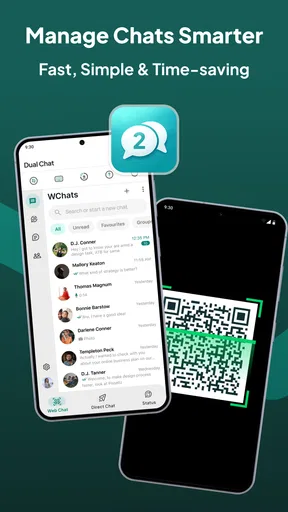
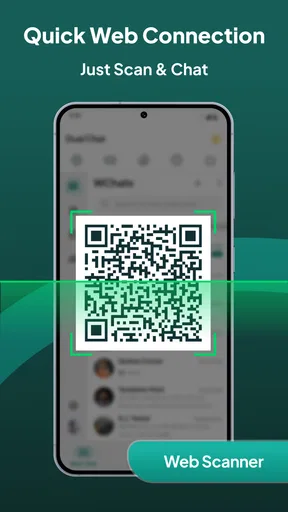
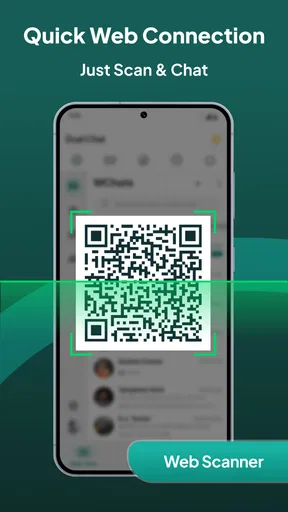
After opening the app, you generally need to select the web-scan or dual-chat option and use your primary messaging application to scan the QR code displayed on the screen. The exact steps can differ by platform, but the process normally requires an active internet connection and access to the original account. Follow the on-screen instructions carefully and avoid scanning codes shown by unknown or untrusted sources.
Is Web Scan & Dual Chat App safe and private to use?
The app’s safety depends on its permissions, developer practices, and the messaging service it connects to. Before using it, review the privacy policy, requested permissions, and app-store security information. Because web-session tools may display conversations or account details, never connect an account on a shared device unless necessary, enable screen protection, and log out of linked sessions when you finish.
Can I use two chat accounts at the same time with this app?
Web Scan & Dual Chat App is intended to make dual-account access more convenient, but its compatibility may depend on the messaging service, device model, operating system, and account restrictions. Some users may be able to keep a second web session active, while others may experience disconnections or limited functionality. Test the connection with a non-critical account first and keep the official app installed.
Does Web Scan & Dual Chat App require an internet connection or payment?
An internet connection is normally required because the app relies on web-based account synchronization and communication with the supported messaging service. Depending on the version, the application may be free to download but include advertisements, optional premium tools, or in-app purchases. Check the current store listing for pricing, subscriptions, supported devices, and any limitations before downloading or linking your account.


